Make a coloring page from your own photo
June 15, 2026 — Colorpix
You've got a nice photo of your dog, a class photo or a selfie – and you'd like to do something more with it than leave it sitting on your phone. So make a coloring page out of it. With the turn a photo into a coloring page tool, you turn your own photo into a coloring page in one click: black outlines on a white background, ready to print and color. Free, no account, and your photo stays on your own device. Below you'll find out what you can convert and how to get the cleanest line drawing.
How does it work?
It works on computer, tablet or phone and only takes a few seconds:
- Pick a photo and upload it.
- Pick a style (more on that in a sec).
- Click Convert and wait a moment.
- Check the result with the before/after slider and download your coloring page as a PNG.
Not quite happy with it yet? Try a different style or a different photo – that often makes more of a difference than you'd think. Go to the generator →
Pick a style
You can choose from four styles. General is a good starting setting. Detailed keeps more lines and small details, nice for older kids and adults. Simple makes calm, thicker lines that are easier for little ones to color in. And Cartoon gives a cartoon-style look. Not sure? Start with General and switch later, no problem.
Is there a lot of clutter behind your subject? Then switch on the Remove background option. That leaves just your subject on a white background. It works best when there's only one clear subject in the photo.
What can you convert?
Almost any photo with a clear subject works. A few popular ideas:
A coloring page of your dog or cat
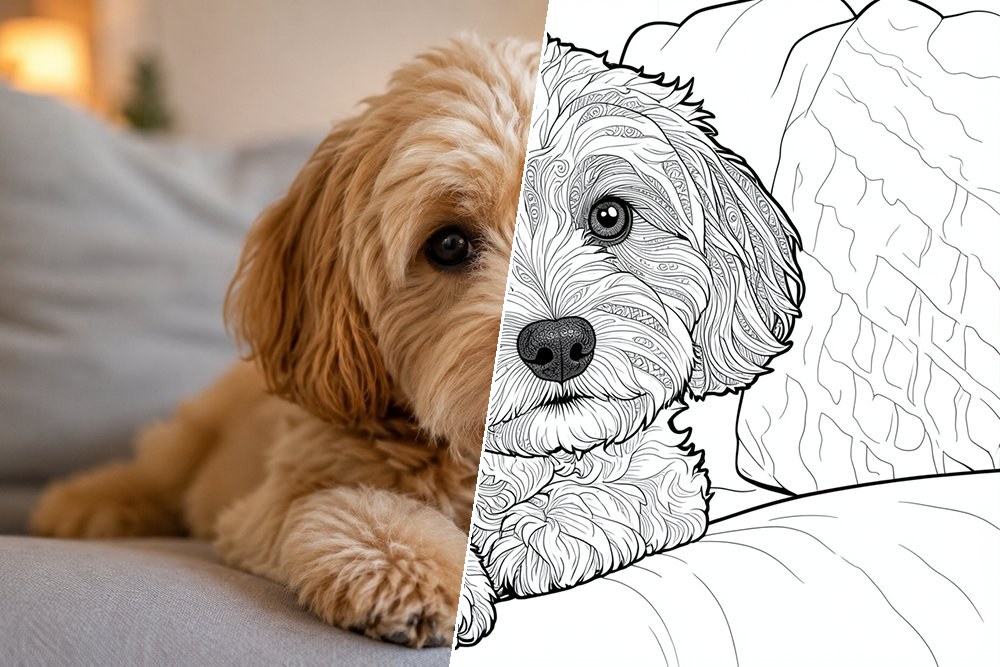
A coloring page of your pet is maybe the most fun thing to start with. A sharp photo where your dog or cat looks straight into the camera gives the best result. Kids often especially love coloring in their own pet rather than just any animal.
A family photo or portrait
From a family photo or a portrait you make a personal coloring page where your child recognizes themselves, dad, mom or grandma. A close-up photo with the faces clearly in view works best. Nice to frame once it's been colored in.
A group photo with friends
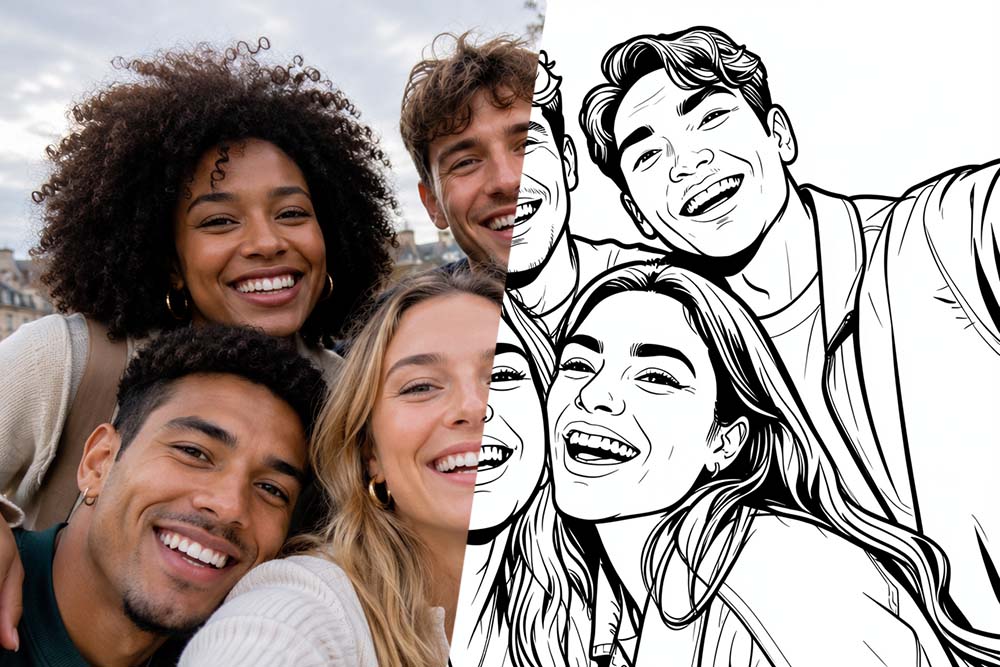
A group photo with friends, a birthday party or the whole class becomes a cheerful coloring page full of characters. The more clearly everyone stands apart, the cleaner the lines come out.
A selfie
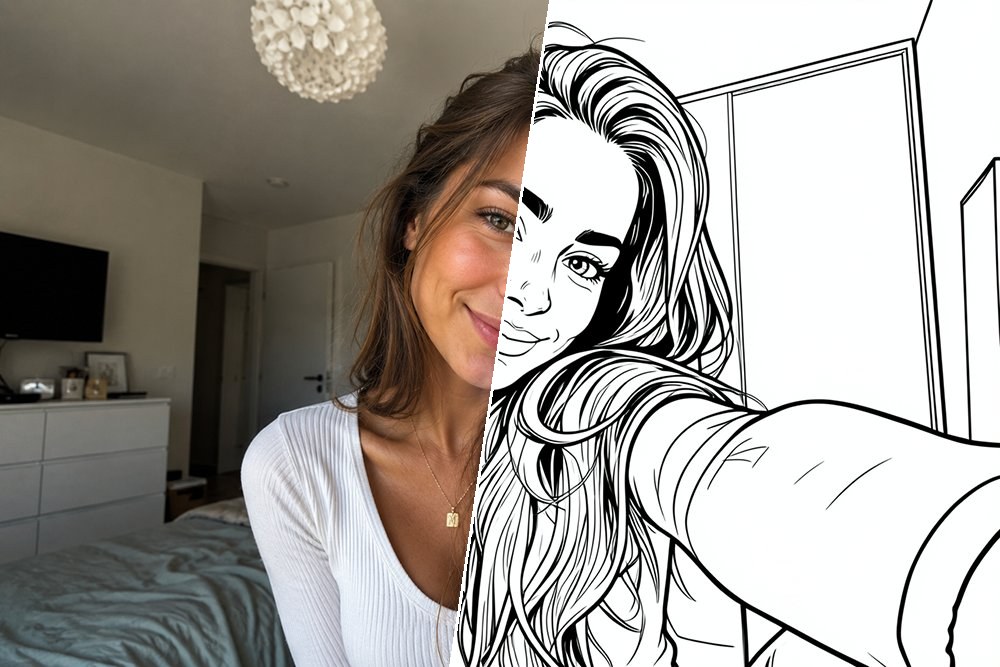
You can convert a regular selfie too. Hold the photo straight on and make sure there's good light on the face, and you'll get clean, easily recognizable lines.
Food or an object
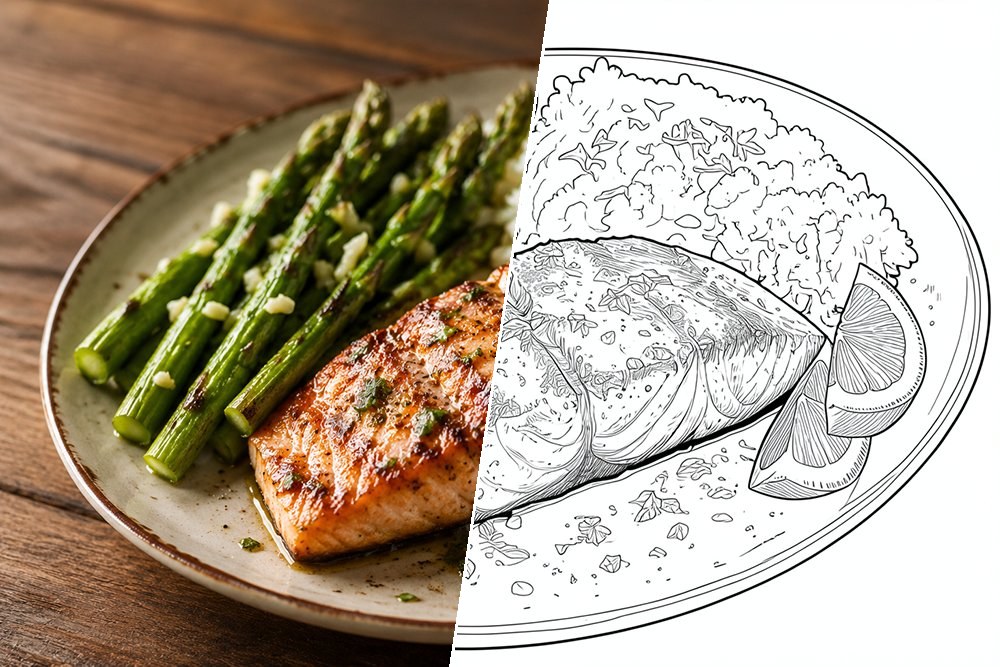
It doesn't have to be a person or an animal. A slice of cake, a bunch of flowers, your favorite toy or a nice building work just as well – especially up close and straight on or from the side.
Tips for the best result
The tool does the work, but with a good photo you get more out of it. A few things that help:
- One clear main subject works best – a photo that's not ambiguous gives the cleanest lines.
- Make sure there's enough contrast, so the subject stands out well from the background.
- A calm background helps. Lots of busyness behind it adds extra lines; a plain background is ideal, or switch on Remove background.
- Use a sharp, well-lit photo. Blurry or dark gives messy lines.
- Shoot up close. A close-up of a face or object works better than a photo from far away.
What can you use it for?
A coloring page from a personal photo is a bit more special than a ready-made one. A few occasions where it comes in handy:
- As a gift: a coloring page of the pet or the family, framed once it's colored in.
- On a rainy afternoon: something to keep the kids busy quickly, with a photo they recognize.
- For a birthday or a party: print a coloring page of the birthday kid or the group for each child.
- At school: a coloring page of a school trip or a class photo as a keepsake.
Your photo stays yours
You might be wondering what happens to your photo. In short: it stays on your own device. To create the coloring page, only a reduced copy is sent, without location data, and that photo isn't kept. You don't need to create an account, and it's free. So print and color as much as you like.
Rather start without a photo?
Don't have a suitable photo but still want a coloring page to your own taste? With our AI coloring page generator you describe in words what you want – for example "a dragon flying over a castle" – and create a coloring page without needing a photo.
Frequently asked questions
Can I make several coloring pages from one photo?
Yes. Try the same photo in different styles – General, Detailed, Simple and Cartoon each give a different coloring page. You can try as many times as you like.
Which style is best for younger children?
For little ones, the Simple style works best: calm, thicker lines that are easy to color in. Older kids and adults get on better with Detailed.
What paper can I print the coloring page on?
You download the coloring page as a PNG image and print it in whatever size you want, for example on A4 or Letter paper. Color it in with pencil, marker or paint – whatever you prefer.
Does it work on my phone too?
Yes, the tool works on computer, tablet and phone. So a photo you've just taken on your phone, you can convert right away.
Try it yourself
Feel like giving it a go? Grab a nice photo and make your own coloring page. Turn a photo into a coloring page →